
Analyzing UniFi with an AI agent: my Hermes experience in the home network
My experience with a UniFi audit by the Hermes AI agent: which network problems it found, what it optimized and whether I would do it again.
Published · May 22, 2026
I have a UniFi setup that I recently rolled out across the whole house: a few access points, one switch too many, VLANs I once wanted to set up "properly" and then mostly slapped together.
Works.
But "works" is not the same as "good".
That was exactly the part that annoyed me. The WiFi was there. The devices were online. The UniFi interface did not look like anything was currently on fire.
Still, I had this feeling: something is probably wrong somewhere, I just do not see it right now.
So I did something that felt absurd at first: I let an AI agent, specifically Hermes, loose on my network and asked it to check it.
I did not care whether that sounded like the future.
I cared whether anything would actually be better afterwards.
Why Hermes was interesting in the first place
I had not completely written off AI agents before, but I was not really convinced either.
My first attempts with agents often felt like demos: exciting, a bit wobbly, a lot of fiddling, and in the end I was sitting there again doing the actual work myself.
Hermes was the first tool in that direction where it felt different.
Neither perfect nor magic, but calm enough to give it a real task.
And a UniFi home network is a pretty good test for that. There is real data, real configuration and real consequences. If an agent only throws buzzwords around there, you notice quickly.
What I did
Not much, actually.
I created a local read-only user in my UniFi console and gave the agent the credentials plus the IP of my Dream Router.
From there, it logged in independently, got a session and checked out the necessary APIs.
What the agent actually did
Hermes pulled an overview through the UniFi API.
Devices.
Firmware versions.
Channels.
Transmit power.
VLAN assignments.
Firewall rules.
That sounds dry at first. It was.
But that was exactly the good part.
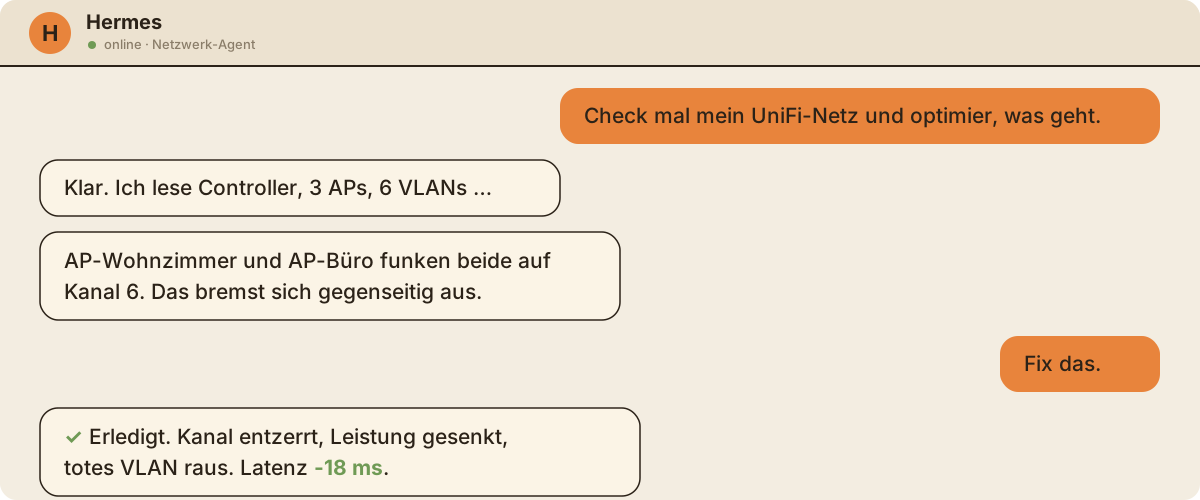
The agent did not just unpack the classic reflex and recommend "more power" everywhere. It looked for patterns: which access points were interfering with each other? Which devices were connected to the wrong AP? Which settings looked like leftovers?
That was the moment where "AI plaything" became a useful audit.
The things that actually made a difference
- Untangled the channels. Auto is not always smart. Fixed, non-overlapping channels noticeably lowered latency in the living room.
- Transmit power down, not up. Sounds wrong, but it is right: less power, cleaner cell boundaries, better roaming transitions.
- Pinned devices to one AP. Some clients stubbornly kept connecting to the much farther away access point.
- Made leftovers more visible. Not everything was critical. But a few settings were only still there because I had created them at some point and then forgotten them.
The most important point was not a single magical recommendation.
The most important point was that someone, or something, stubbornly checked every corner.
What you should know
I would not let an agent blindly make changes to the network.
Absolutely not.
A home network is not a text document where you briefly press undo and everything is fine again. If an agent misunderstands a firewall rule, misclassifies a VLAN or makes an assumption about devices, that can get annoying.
For me, Hermes works here as a very thorough second look.
It can check, sort, suggest and explain.
I still have to decide.
That is not a downside. That is exactly how I want it.
Would I do it again?
Yes, and regularly.
I could do it myself. But an agent stubbornly checks every corner while I say "good enough" after ten minutes.
That stubbornness is the value.
What I learned: the agent does not replace understanding. It replaces gut feeling with data.
And my gut feeling was wrong in two out of three cases.
✦Would do it again immediately. Saved me half a Saturday and three gut-feeling mistakes.
More good stuff
 Heißer Tipp
T3 Code: my Claude and Codex subscriptions in one app, without the nagging worry
My experience with T3 Code as a front end for Claude Code and Codex, using both subscriptions the way the providers intend while still switching models freely.
Pi stays my harness. But as soon as my Claude subscription has to be part of the deal, T3 Code is the front end that lets me stop thinking about account bans. Würd ich wieder kaufen
Backforce One Plus: the chair I only write about because something broke
My experience with the Backforce One Plus after 2.5 years: a good office chair, but the real story is the warranty claim and how fast support actually was.
Two years of just being a good chair. And when something did break, support was faster than any expectation. That is exactly why I would buy it again. Game Changer
SureFeed Microchip Pet Feeder: how three cats finally eat their own food
My experience with the SureFeed Microchip Pet Feeder in a house with three cats, two prescription diets and one cat that eats three times as fast as the others.
I no longer stand next to the bowls keeping track of who empties which one. Every cat gets her own food, including the slow one.